Learn languages through your favorite content
Interactive subtitles with instant translation on YouTube, Netflix, Coursera, TED and 1,000+ other sites with VTT/SRT subtitles. Practise listening and speaking, review words with flashcards, and read books and articles in the mobile app.
Installed in 10 seconds Supports 1,000+ sites with VTT/SRT

Works wherever you watch
Streaming, music, online courses, and learning platforms — plus 1,000+ sites with VTT/SRT subtitles.
Features depend on the player and available subtitle track.
More about supported sites →See how it works
Two minutes to see LinguaCap in action across different sites.
One click — instant translation
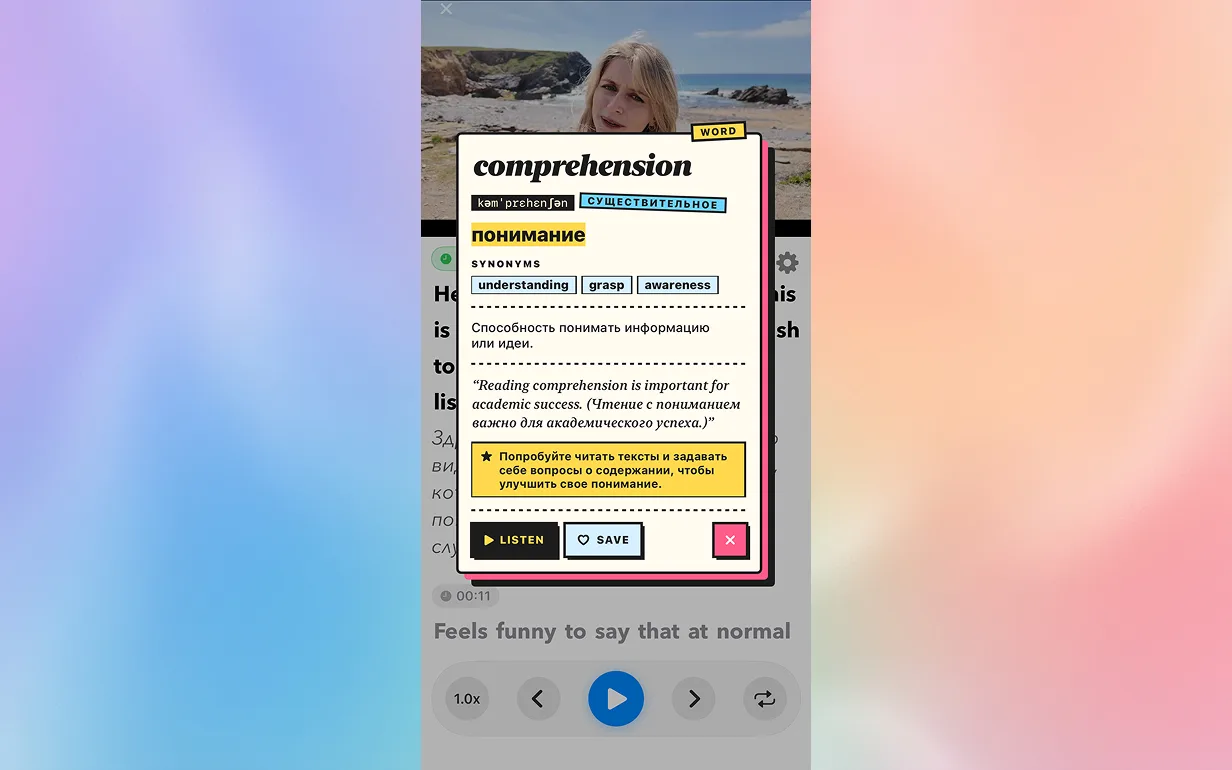
Watch YouTube, Netflix, Coursera, TED and many other sites with VTT/SRT subtitles. Click an unfamiliar word to get its translation, transcription, and examples in context.
- Context-aware translation
- Transcription and pronunciation
- Real usage examples
- YouTube, Netflix, Coursera, TED and many more
Remember words for good
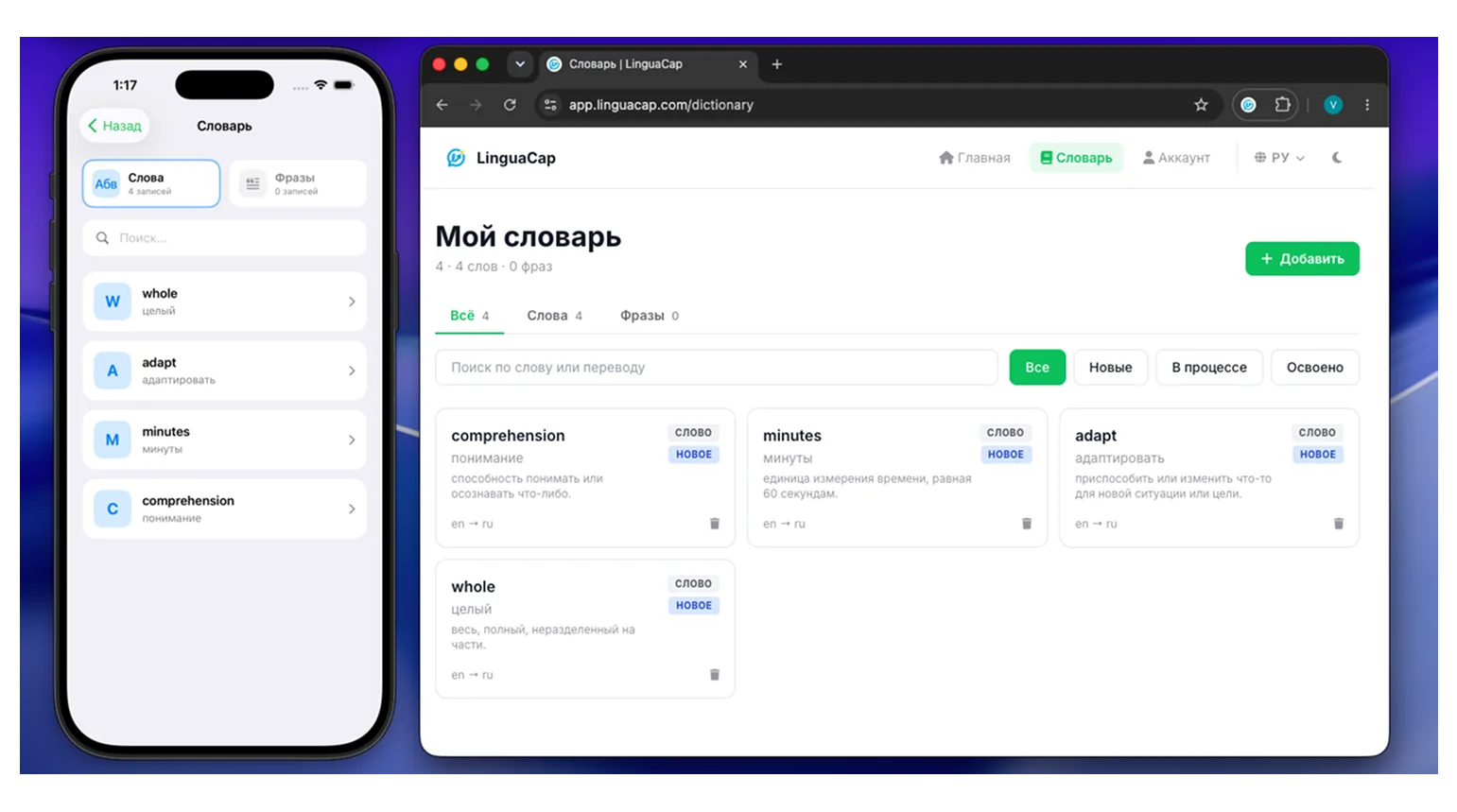
Save useful words and phrases. Review them with spaced-repetition flashcards.
- Words and phrases in your dictionary
- Spaced repetition (SRS)
- Gamified practice
- Sync across devices
Dictation mode for listening
Improve your listening: the video pauses after each phrase, you type what you heard, and AI checks your answer and highlights mistakes.
How to practise listening →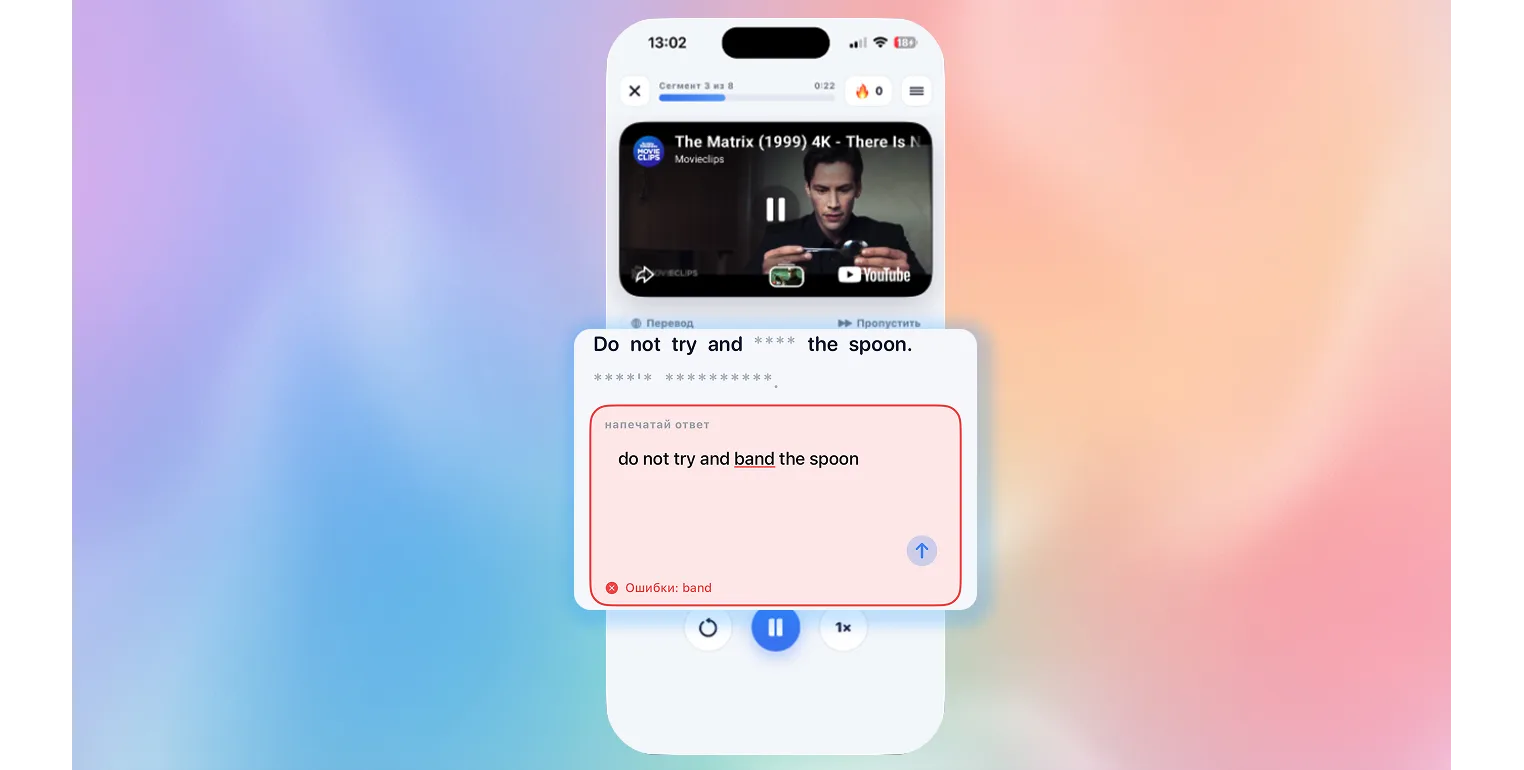
Start in 3 simple steps
No complex setup. Install it, open your favorite site, and start learning.
Install LinguaCap
Add the Chrome extension or download the iOS/Android app. Then sign in and choose your languages.
Open your favorite site
On a computer, open a supported video with captions. On your phone, start with YouTube or a site with built-in VTT/SRT subtitles.
Learn naturally
Click unfamiliar words, train your ear, and memorize with smart flashcards.
Who LinguaCap is for
Whatever your goal, we’ll help you reach it faster.
Students
Preparing for IELTS/TOEFL? Learn with TED Talks and Coursera using interactive subtitles.
Professionals
Improve business English through industry content — from marketing to code.
Travelers
Learn the language of the country you plan to visit through vlogs and cultural content.
Movie lovers
Watch your favorite movies and series on Netflix and YouTube in the original language.
Even more features
Everything for effective language learning in one extension and app.
Read books and articles
Read books and articles in the mobile app. Save useful words to the same dictionary you use for videos.
Detailed analytics
Track progress in vocabulary, listening, and grammar.
30+ languages
From English to Korean — learn any language through content you enjoy.
Sync
Access your dictionary and progress on every device — learn anywhere.
Speaking practice
Repeat phrases aloud with Shadowing and record your answers in Speaking. Dictation helps check what you heard.
Customization
Adjust subtitle size, color, and position to your preferences.
Choose your plan
Start free or unlock full access to every feature.
Free
For beginners
- 10 translations per day
- Basic flashcards
- Dictation mode (limited)
- Basic analytics
Pro
For serious learners
Billed monthly
- Unlimited translations
- Advanced AI flashcards
- Full access to dictations
- Detailed analytics and progress
- Priority support
- Export dictionary to Anki
- Early access to new features
Cancel anytime
Need a plan for a team or school? Contact us
What users say
Thousands of people are already improving their languages with LinguaCap.
“In 3 months with LinguaCap, my vocabulary grew by 800+ words. Dictation mode is amazing for IELTS prep.”
“I watch tech channels in English and learn the language at the same time. Brilliantly simple. No more boring courses.”
“I can finally watch Netflix in English and understand everything. Flashcards help me remember new words.”
Frequently asked questions
Everything you need to know about LinguaCap.
Which sites does LinguaCap work on?
Do I need to know the language to start?
How does dictation mode work?
Are words saved across devices?
Which languages are supported?
Can I use it for free?
How quickly will I see results?
Start learning a language today
Join 5,000+ people already improving languages through their favorite content.
 Pay with Kaspi